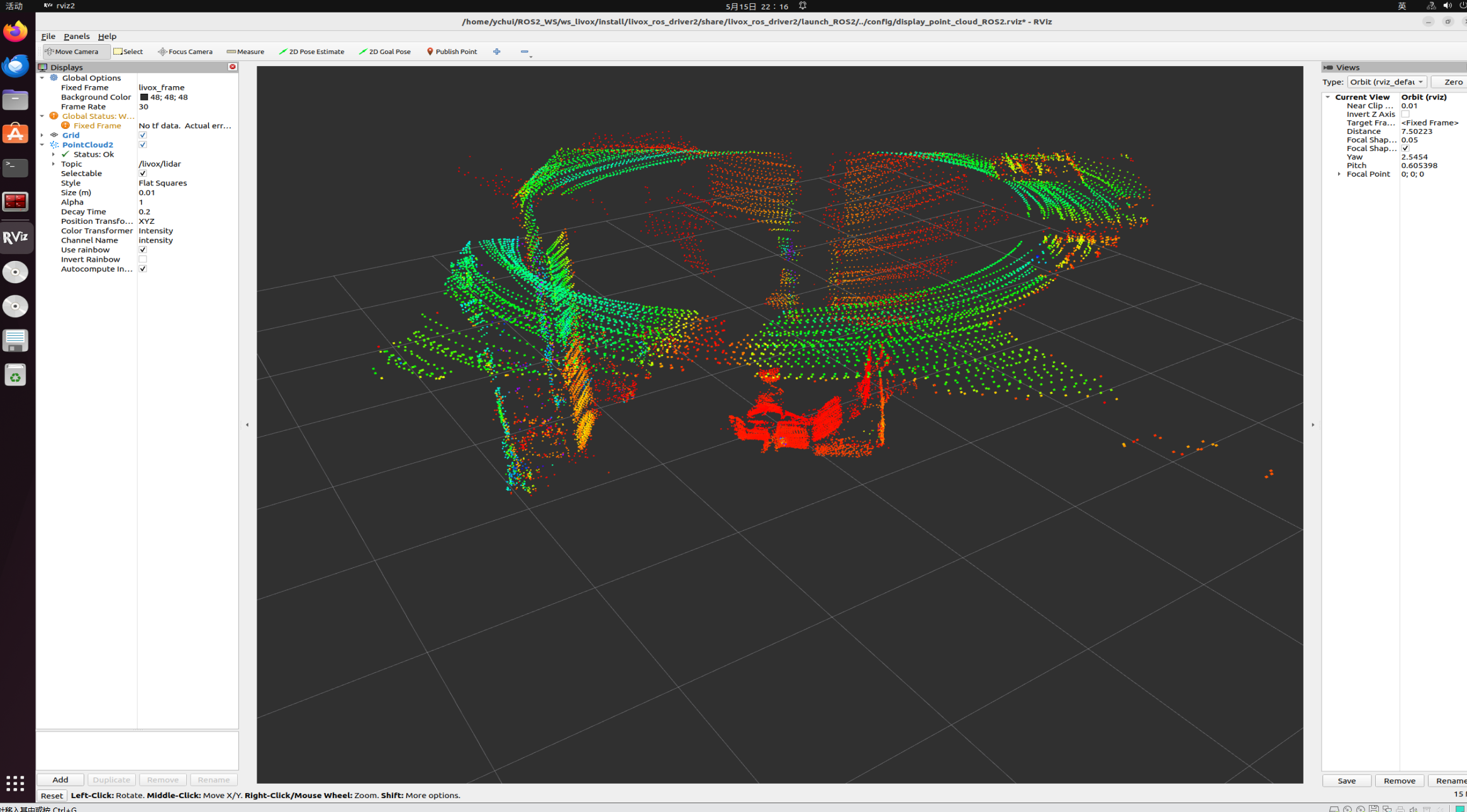
Mid360s介绍
Livox-Mid360s官网 https://www.livoxtech.com/cn/mid-360s
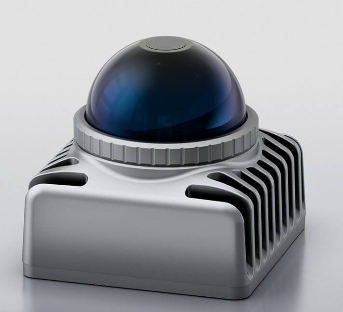
具体参数如下
| 参数项 | 规格详情 |
|---|---|
| 产品型号 | Mid-360S(混合固态激光雷达) |
| 激光波长 | 905 nm |
| 激光安全等级 | Class 1(IEC60825-1:2014),人眼安全 |
| 探测距离(@100 klx 强光) | 40 m @ 10% 反射率;70 m @ 80% 反射率 |
| 近场盲区 | 0.1 m(10 cm) |
| 水平视场角 | 360°(全向) |
| 垂直视场角 | -7° ~ +52°(总 59°) |
| 测距随机误差(1σ) | ≤ 2 cm @ 10 m;≤ 4 cm @ 0.2 m |
| 角度随机误差(1σ) | < 0.15° |
| 点云速率 | 200,000 点 / 秒(单回波) |
| 典型帧率 | 10 Hz |
| 虚警率(@100 klx 强光) | < 0.01% |
| 抗串扰能力 | 支持多雷达共存 |
| 内置 IMU | ICM40609 |
| 数据接口 | 100 BASE-TX 以太网 |
| 时间同步 | IEEE 1588-2008(PTPv2)、GPS |
| 供电电压 | 9–27 V DC |
| 典型功耗 | 6.5 W(@25℃) |
| 产品尺寸 | 65 × 65 × 60 mm |
| 产品重量 | 约 265 g |
| 防护等级 | IP67(防尘防水) |
Windows设置
雷达的接线和电脑接线方式如下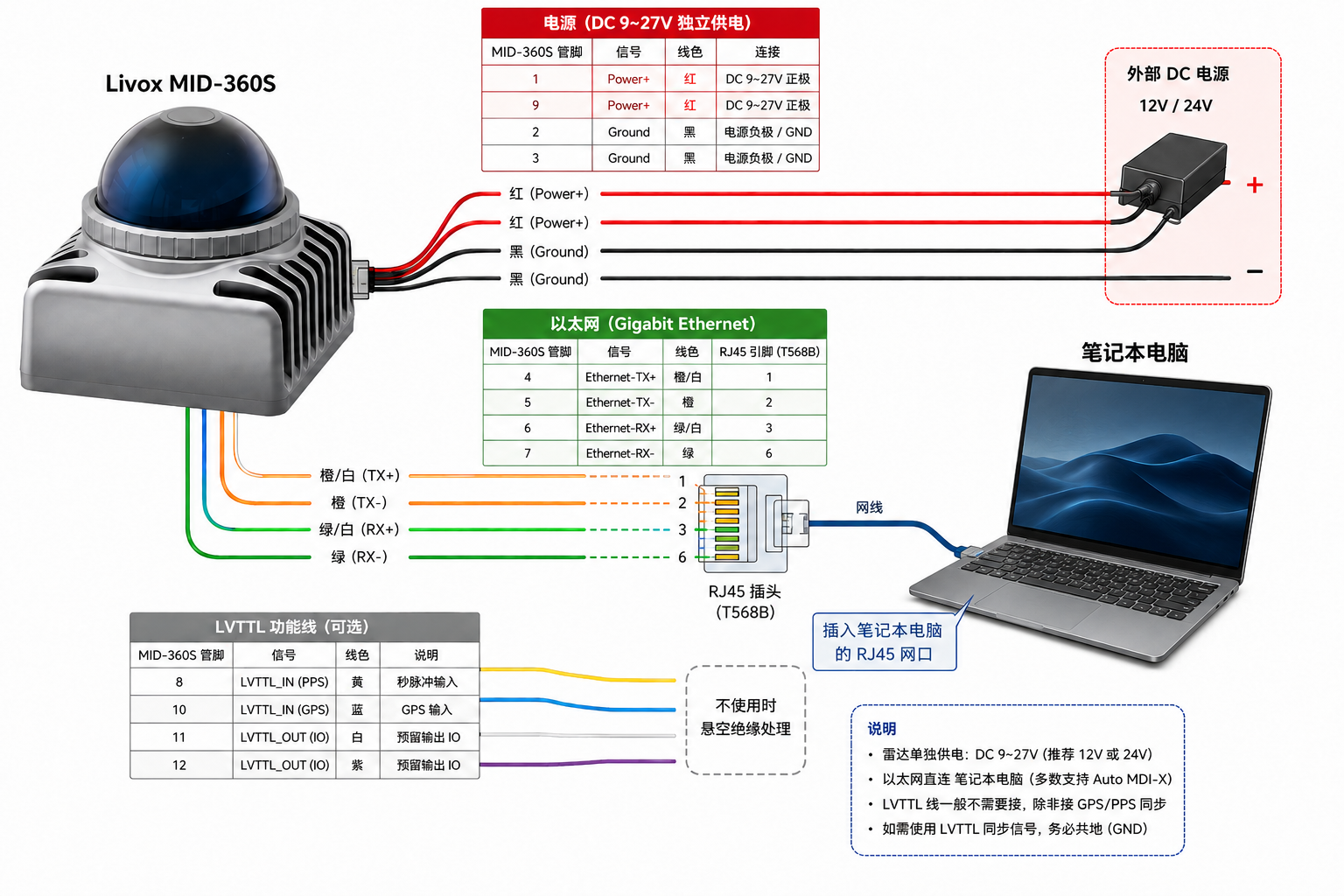
按照以上方式连接
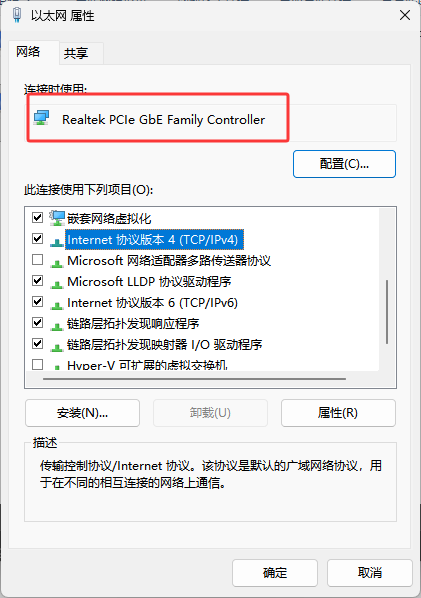
打开网络设置,选择以太网连接,右键属性
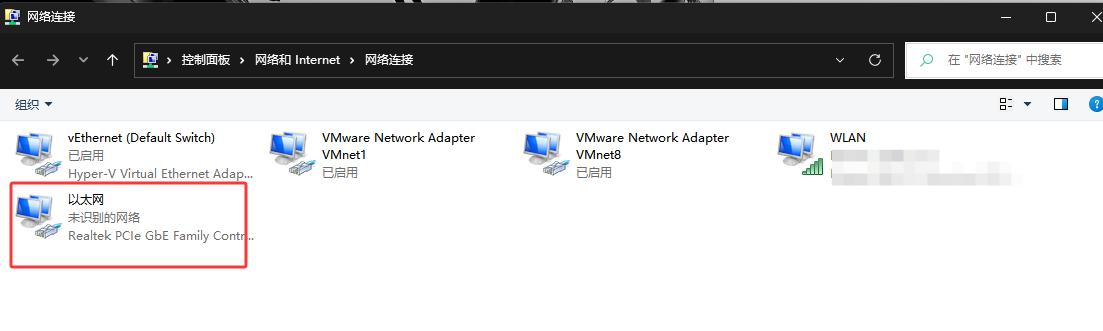
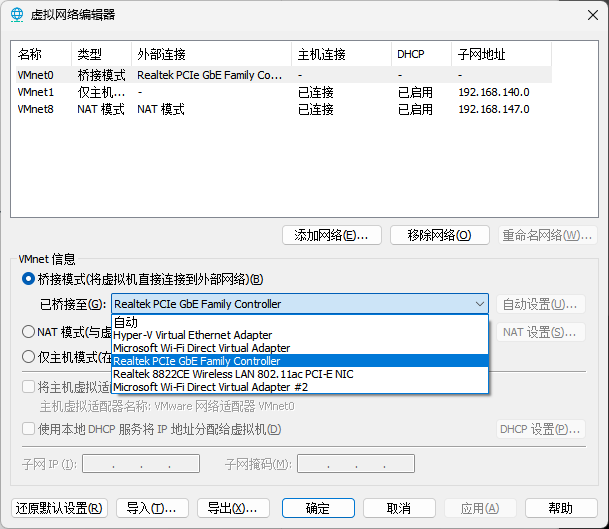
选择IPv4,记住名字Realtek PCIe GbE Family Controller
配置静态IP,IP地址192.168.1.50,子网掩码255.255.255.0,默认网关192.168.1.1
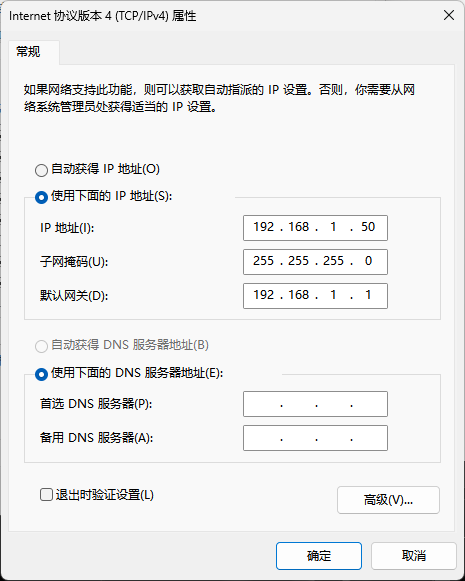
然后确定,下载Livox viewer2 : https://www.livoxtech.com/cn/downloads
下载之后启动界面如下,如果IP没有正确连接,点击Adapter,Refresh
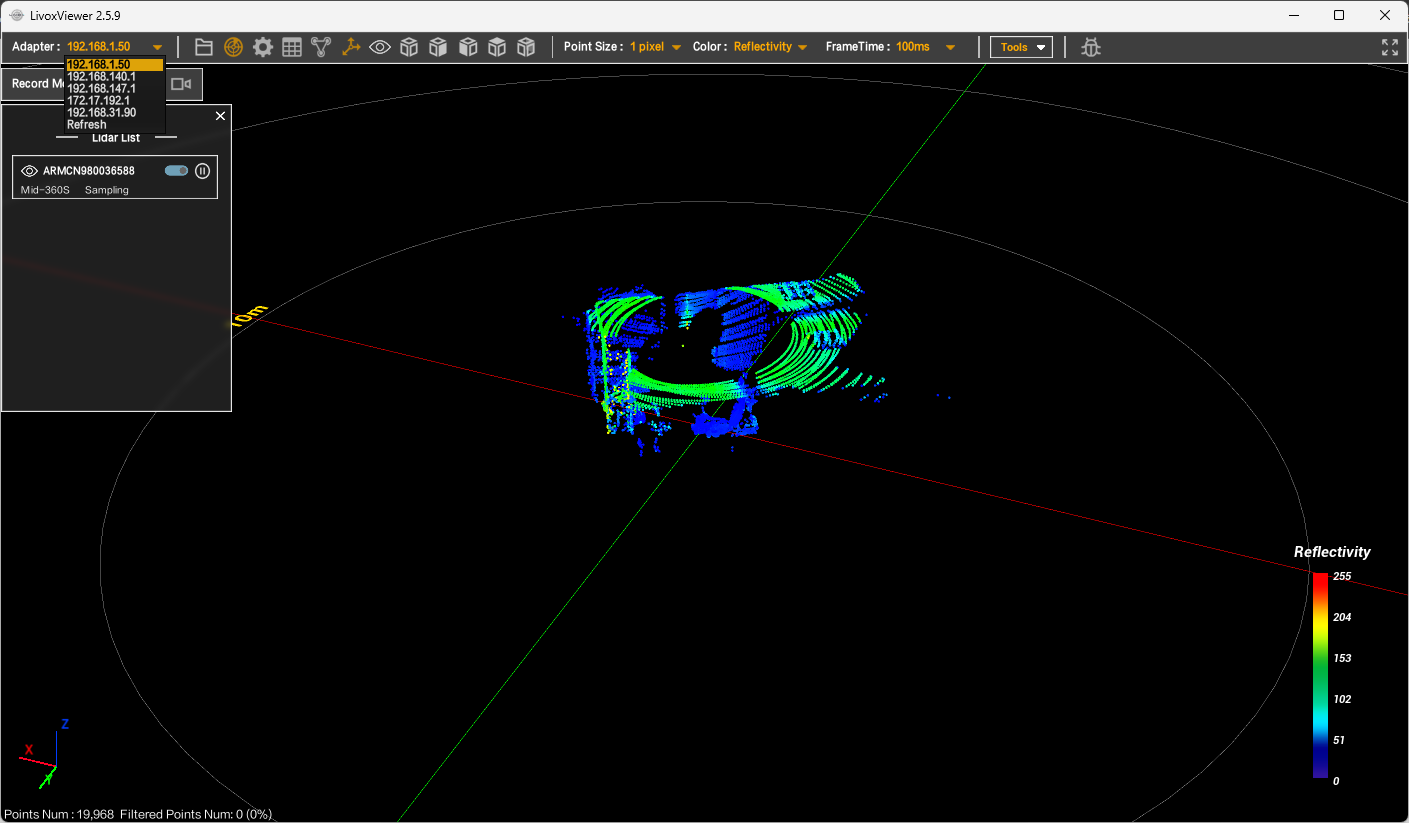
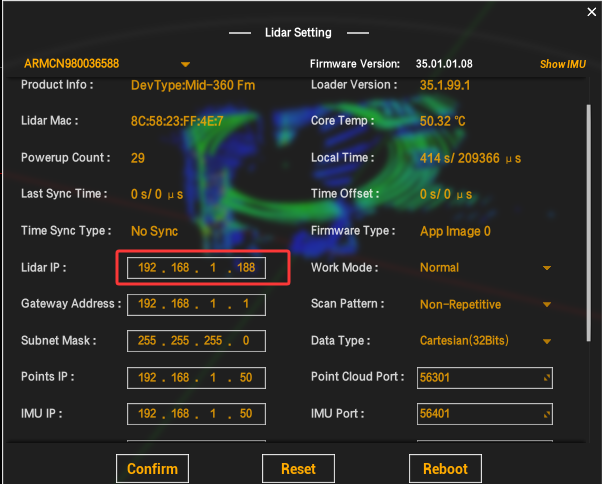
点击工具栏的设置,显示Lidar IP: 192.168.1.1XX (XX一般为购买雷达S/N码后两位)
Vmware设置
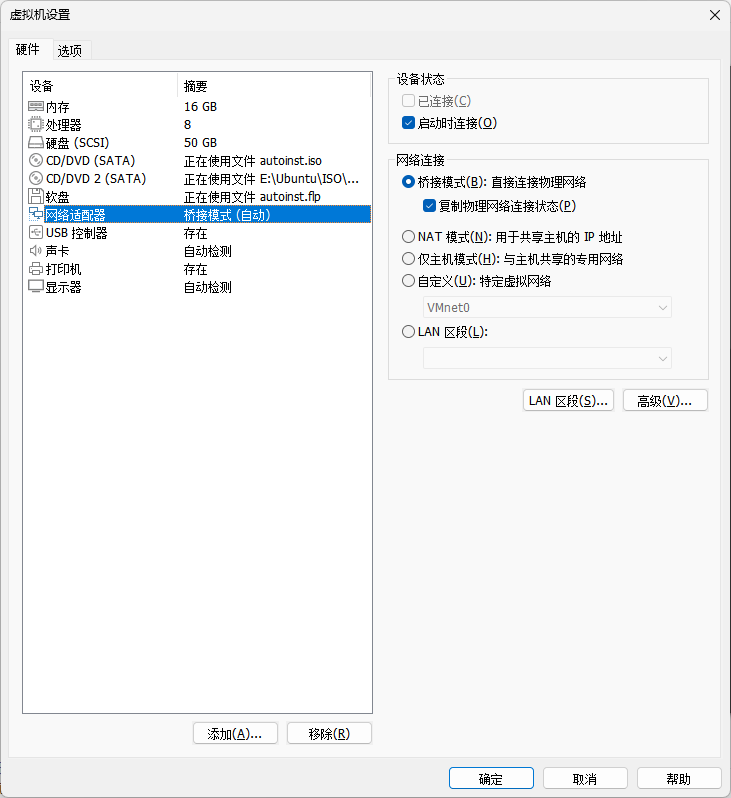
接下来打开Vmware进行设置,编辑虚拟机设置->网络适配器->桥接模式(自动)
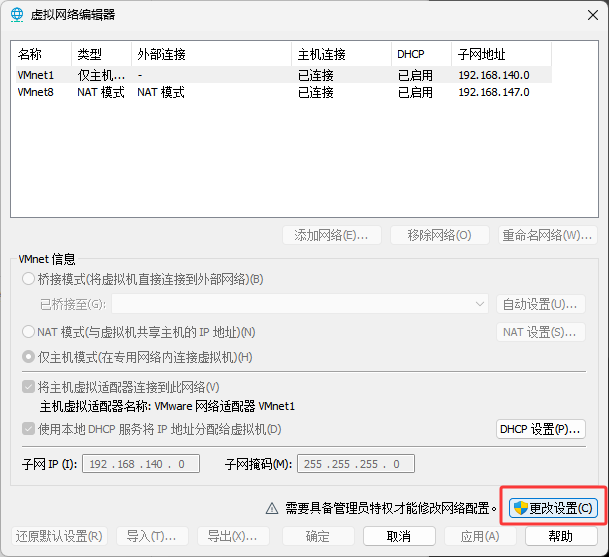
然后找到工具栏->编辑->虚拟网络编辑器->更改设置
对桥接模式进行设置,选择刚才记住的名字
启动虚拟机即可
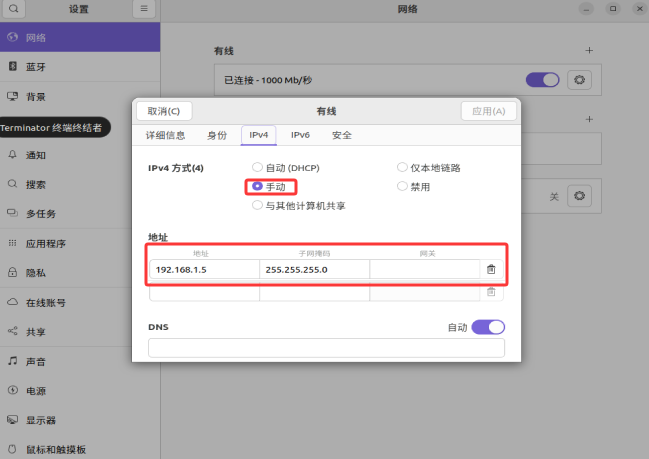
设置静态IP,网络IPv4 手动
雷达驱动配置
编译暗转Livox-SDK
1 | git clone https://github.com/Livox-SDK/Livox-SDK2.git |
安装livox_ros_driver2包
1 | git clone https://github.com/Livox-SDK/livox_ros_driver2.git |
配置config文件夹下的MID360s_config.jso那文件,主机IP改为192.168.1.5,雷达Ip改为192.168.1.1XX
1 | { |
For ROS2 Humble: 关于 ROS2 Humble:
1 | source /opt/ros/humble/setup.sh |
雷达节点启动
1 | source ./install/setup.bash |